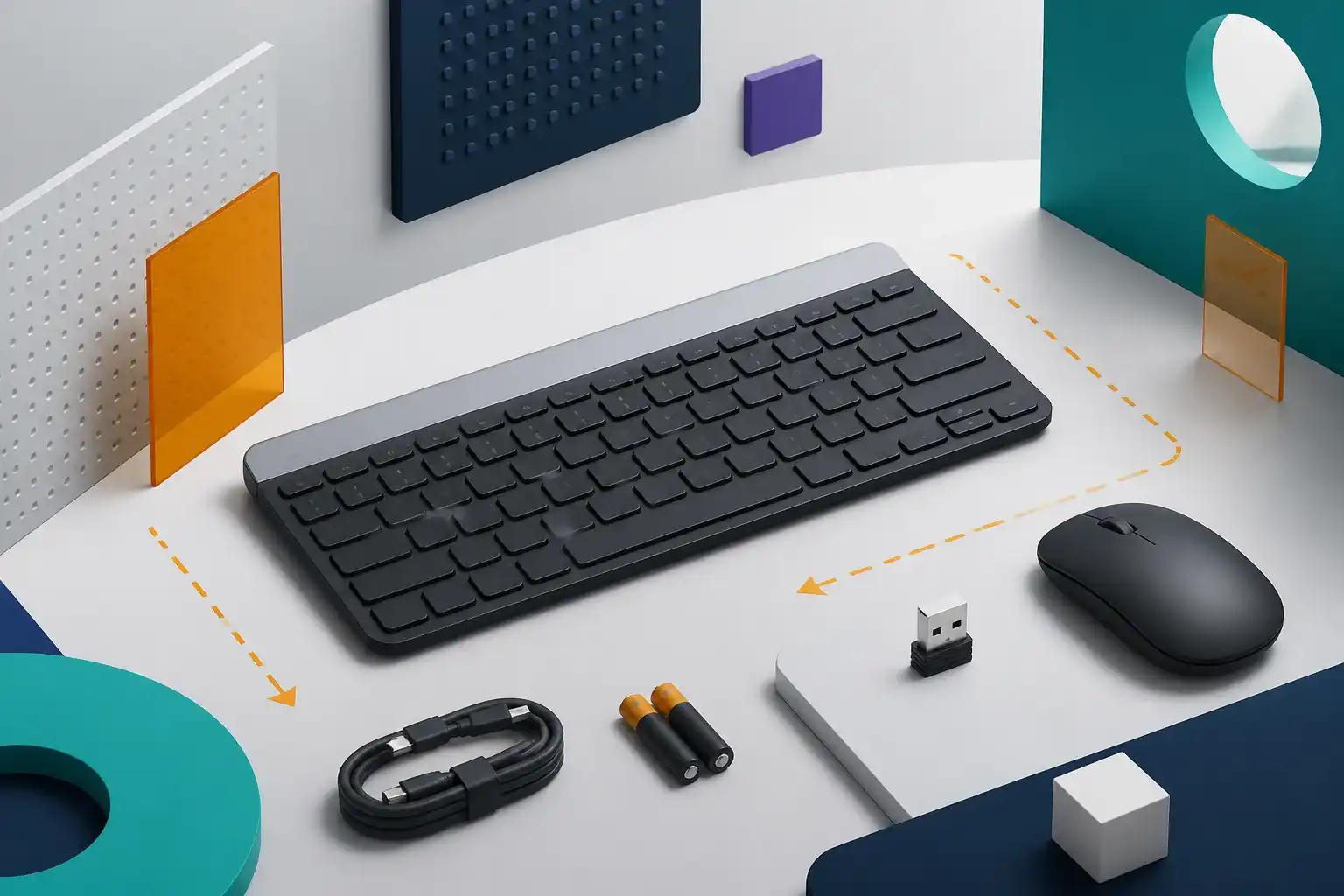
Logitech MK470 Slim Wireless Combo: strengths and limitations
Reasons to consider it
- Compact keyboard keeps a number pad and 12 function shortcuts
- Low-profile scissor keys target a laptop-like office feel
- Quiet-focused keyboard and mouse design
- Published 36-month keyboard and 18-month mouse battery estimates
Reasons to skip it
- Requires the included USB-A receiver and does not use Bluetooth
- Non-Unifying receiver limits replacement and pairing flexibility
- No backlighting, charging, or multi-device switching
- Slim mouse shape may not suit every hand or grip
As an Amazon Associate I earn from qualifying purchases. This link may earn PickScoreLab a commission at no additional cost to you.
Short answer: The Logitech MK470 is a compact, coordinated desk combo for buyers who want laptop-style scissor keys, a number pad, and quieter everyday input. Its defining limitation is equally clear: both devices depend on the included non-Unifying USB-A receiver. It is not a Bluetooth or multi-device combo.
The MK470 makes a different compromise from a conventional budget full-size set. It compresses the navigation area, keeps numeric entry, and pairs the keyboard with a low-profile pebble-shaped mouse. The result can free desk space, but it does not free a USB port.
This review combines the Graphite, Off White, and Rose color listings because Logitech documents one MK470 platform rather than three functionally different products. The Graphite ASIN is the main shopping reference; the other two are clearly separated under Other configurations. Always verify color, regional key layout, ASIN, seller, and return terms on the live listing.
Logitech MK470 key specifications
| Decision factor | Logitech-published detail |
|---|---|
| Connection | 2.4 GHz wireless through a non-Unifying USB-A receiver |
| Keyboard format | Compact main area plus number pad |
| Key mechanism | Scissor keys, 1.8 mm total travel |
| Function controls | 12 function shortcuts |
| Keyboard dimensions | 373.5 × 143.9 × 21.3 mm |
| Keyboard weight | 558 g with batteries |
| Mouse | Three buttons, 1000 DPI optical tracking |
| Mouse dimensions | 107 × 59 × 26.5 mm |
| Published battery estimate | Keyboard up to 36 months; mouse up to 18 months |
| Batteries | Two AAA for keyboard; one AA for mouse |
| Published platform support | Windows and ChromeOS at release |
Battery life and wireless range are estimates rather than promises. Daily use, sleep behavior, battery quality, radio traffic, receiver position, temperature, and storage all affect results.
The compact layout is the main reason to consider it
The keyboard is narrower than a traditional full-size board because it compresses the center navigation block while retaining a number pad. That can bring a right-handed mouse closer to the body and leave more usable space on a small desk.
Compact does not mean tenkeyless. Spreadsheet and accounting users keep numeric entry, but the Home, End, Page Up, Page Down, arrow, and shortcut arrangement may differ from a standard desktop layout. Check a current US-layout image before ordering if those keys are used by touch.
Logitech identifies 1.8 mm scissor-key travel. That supports the description of a low-profile, laptop-like mechanism, but a specification cannot establish how the keys feel, how consistent the larger keys are, or whether the sound suits a particular room. Our mechanical versus low-profile keyboard guide explains the workstation and layout checks that matter beyond switch labels.
Quiet design is useful, but not measurable here
Logitech markets the MK470 around quiet typing and clicking. That is relevant for shared rooms, late-night work, and calls, but PickScoreLab has not measured sound pressure, frequency character, desk resonance, or key-to-key variation.
Treat “quiet” as the manufacturer’s design target rather than a laboratory result from this review. Sound also changes with typing force, the desk surface, room acoustics, and whether keys are struck to the bottom of their travel.
Receiver-only connection: simple and restrictive
The keyboard and mouse share the included 2.4 GHz receiver. Initial setup should be straightforward on a compatible computer with an available USB-A port: install the batteries, connect the receiver, and turn the devices on.
The receiver is documented as non-Unifying. Do not assume that a receiver with a similar shape or a Unifying logo can replace it. Logitech’s own specifications identify the MK470 receiver as part of this connection system, so protecting the small receiver matters.
This design has three purchase implications:
- A USB-A port remains occupied during use.
- A USB-C-only laptop normally needs a compatible adapter or dock.
- There is no Bluetooth path for switching to a phone, tablet, or second computer.
If connection flexibility is more important than the slim layout, compare the Bluetooth Logitech MK250 or the dual-mode business-focused Logitech MK370.
Platform compatibility needs an exact-model check
Logitech’s MK470 technical page lists Windows and ChromeOS support at release. Basic USB keyboard and mouse behavior can sometimes work beyond a maker’s stated list, but that is not the same as formal support. Do not buy it for macOS, Linux, a tablet, a game console, a KVM, BIOS navigation, or a managed workstation based only on generic USB expectations.
Confirm the operating system, available port, regional layout, and any workplace restrictions. The MK470 does not need Bluetooth pairing software for its normal receiver connection, but an adapter, dock, or KVM adds another compatibility layer.
The mouse prioritizes shape and simplicity
The bundled mouse is slim, ambidextrous, and portable on paper. Logitech lists three buttons and 1000 DPI optical tracking. That is enough specification for ordinary pointing, browsing, and documents; it does not establish comfort over a full workday.
People with large hands, a palm grip, wrist discomfort, a need for side buttons, or high-resolution multi-monitor workflows may prefer a separate mouse. The coordinated look should not outweigh hand fit. Use our wireless mouse size and grip guide before treating the bundled mouse as a long-term ergonomic choice.
Battery and maintenance tradeoffs
The keyboard uses two replaceable AAA batteries and the mouse uses one replaceable AA. Logitech’s published estimates are up to 36 months and 18 months respectively. Replaceable cells avoid charge cables and aging internal rechargeable packs, but they also require spare batteries and responsible recycling.
There is no backlight to manage, which helps the battery-life design but makes the legends harder to see in a dark room. Buyers who require rechargeable power or illuminated keys should choose another product class.
MK470 colors: Graphite, Off White, and Rose
The three supplied Amazon links correspond to separate ASINs. This article treats them as color variants, not separate performance reviews. A listing can change its selected color or bundle, so confirm the visible variant and exact ASIN before checkout:
- Graphite — B07VD4Q84X: primary reference for this review.
- Off White — B083QQQDF1: listed under Other configurations.
- Rose — B0BL2RSCG9: listed under Other configurations.
Do not assume that color is the only possible listing difference. Regional keyboard legends, packaging, seller, warranty path, and included items still need a live check.
Who should buy the MK470?
The paper fit is strongest for:
- A Windows or ChromeOS desk with a free USB-A port.
- Buyers who want a number pad in a compact width.
- People who prefer a low-profile scissor-key layout.
- Shared spaces where quiet-focused input is valuable.
- A single computer where the receiver can remain installed.
Look elsewhere if you need:
- Bluetooth or fast multi-device switching.
- A receiver ecosystem with flexible replacement pairing.
- Backlighting or rechargeable batteries.
- A traditional full-size navigation block.
- A sculpted productivity mouse or gaming controls.
- Formal compatibility beyond the systems Logitech lists.
Frequently asked questions
Is the Logitech MK470 Bluetooth?
No. Logitech documents a 2.4 GHz connection through the included non-Unifying USB-A receiver.
Is the MK470 keyboard full size?
It includes a number pad, but its navigation area is compressed to reduce width. Buyers should review the exact key arrangement rather than treating it as a conventional full-size layout.
Is the MK470 receiver Unifying?
No. Logitech’s technical specifications call it a non-Unifying receiver. Similar appearance does not establish compatibility with another Logitech receiver.
Does the MK470 work with a USB-C-only laptop?
Not directly. The included receiver uses USB-A, so a suitable USB-C adapter or dock is normally required. That adapter or dock must also support ordinary USB input devices reliably.
Are the Graphite, Off White, and Rose versions different?
The supplied listings use different ASINs and colors. This review does not claim a functional difference, but buyers should verify layout, package contents, seller, and warranty on each listing.
Final verdict
The Logitech MK470 is easy to understand when judged by its real priorities: a slim scissor-key keyboard, retained number pad, compact mouse, coordinated colors, and a quieter office-oriented design. It makes sense for one compatible computer on a small desk.
Its simplicity is also the boundary. The fixed receiver approach, lack of Bluetooth, compressed layout, and basic mouse make it less versatile than newer multi-mode combos. Buy it for the compact desk fit—not because the model number alone appears to be an upgrade.
Compare related Amazon listings
These links may represent another color, storage capacity, hardware configuration, bundle, or seller. Confirm the model, ASIN, specifications, warranty, and return terms on the live listing.
- Off White Logitech MK470ASIN B083QQQDF1View this configuration on Amazon(paid link)
- Rose Logitech MK470ASIN B0BL2RSCG9View this configuration on Amazon(paid link)
As an Amazon Associate I earn from qualifying purchases. These links may earn PickScoreLab a commission at no additional cost to you.
Check the Logitech MK470 Slim Wireless Combo listing
Confirm the model and ASIN (B07VD4Q84X), current specifications, color, seller, and return terms before ordering. Amazon prices and availability can change.
Check the Graphite Logitech MK470 on Amazon(paid link)As an Amazon Associate I earn from qualifying purchases. This link may earn PickScoreLab a commission at no additional cost to you.
Sources and further reading
- Logitech — MK470 Slim Combo product page
- Logitech Support — MK470 technical specifications
- Logitech Newsroom — MK470 launch announcement
Product specifications, included accessories, price, and availability can change. Verify the current manufacturer documentation and seller listing before purchasing.